# Withdrawing

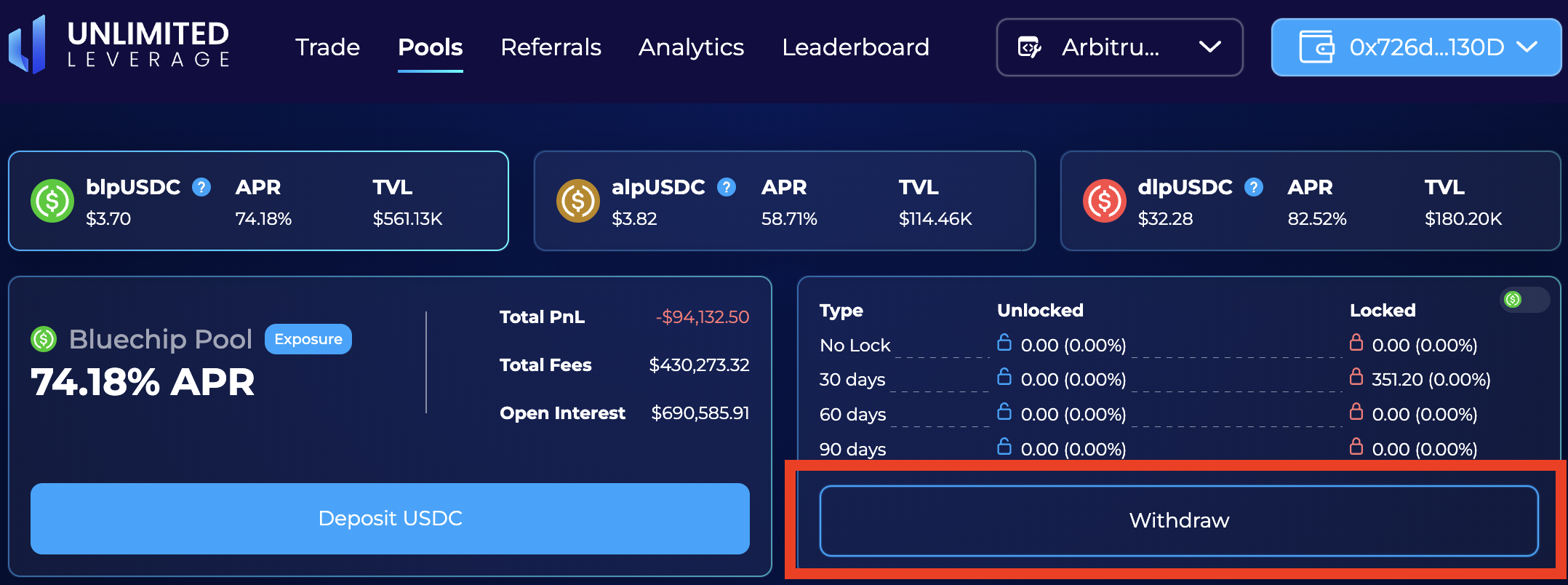
1. **To withdraw** funds from a liquidity pool, please select the <mark style="color:blue;">**"Withdraw"**</mark> button on <mark style="color:blue;">**the pool of your choosing.**</mark>&#x20;

<figure><img src="https://1947651740-files.gitbook.io/~/files/v0/b/gitbook-x-prod.appspot.com/o/spaces%2F1uLfyekHy32aCR2mnQIB%2Fuploads%2Fn3XCfZIhW9oTHEzZgbez%2FScreenshot%202023-04-08%20at%2020.11.51.png?alt=media&#x26;token=eb0f3a2f-9c9d-4e40-90ad-08414d1dedaa" alt=""><figcaption></figcaption></figure>

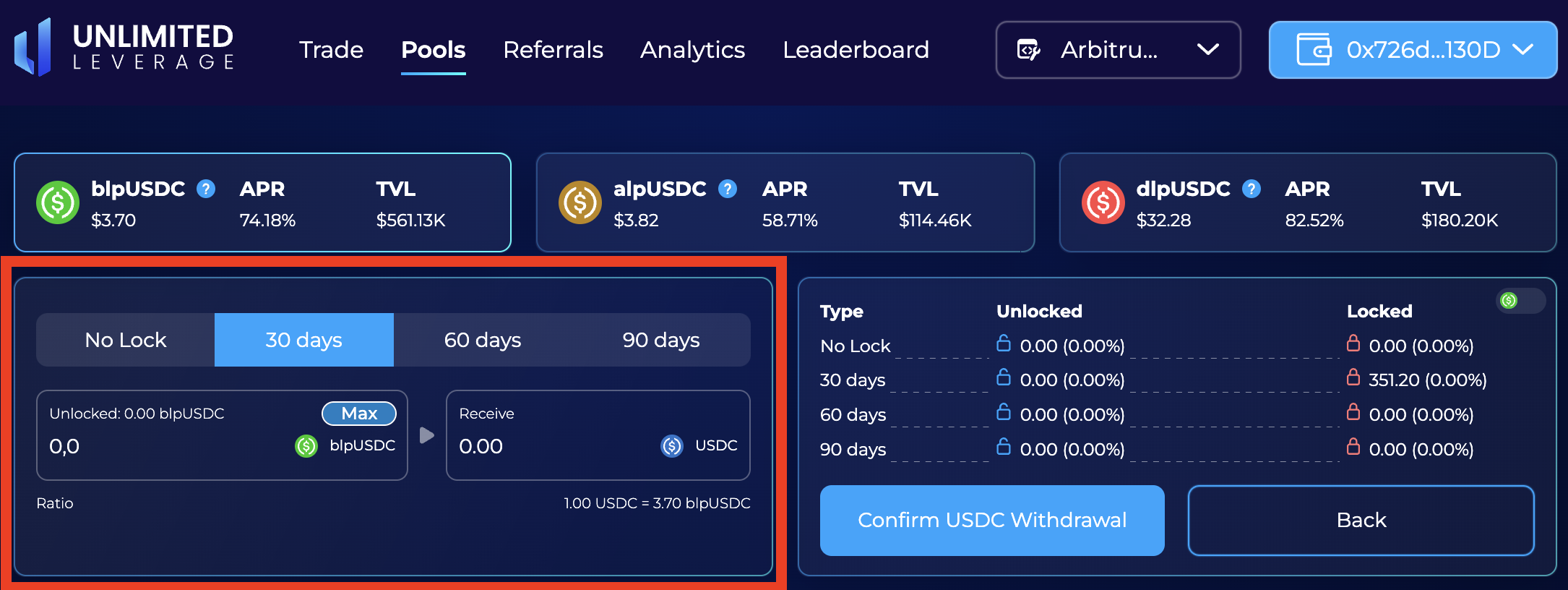
**This** will bring up the following <mark style="color:blue;">**pop-up**</mark>: :arrow\_heading\_down:

<figure><img src="https://1947651740-files.gitbook.io/~/files/v0/b/gitbook-x-prod.appspot.com/o/spaces%2F1uLfyekHy32aCR2mnQIB%2Fuploads%2F6Bls7tzovNQS8JzoIiF1%2FScreenshot%202023-04-08%20at%2020.11.09.png?alt=media&#x26;token=a6c36c67-e6ff-4397-bbae-3f88417b0990" alt=""><figcaption></figcaption></figure>

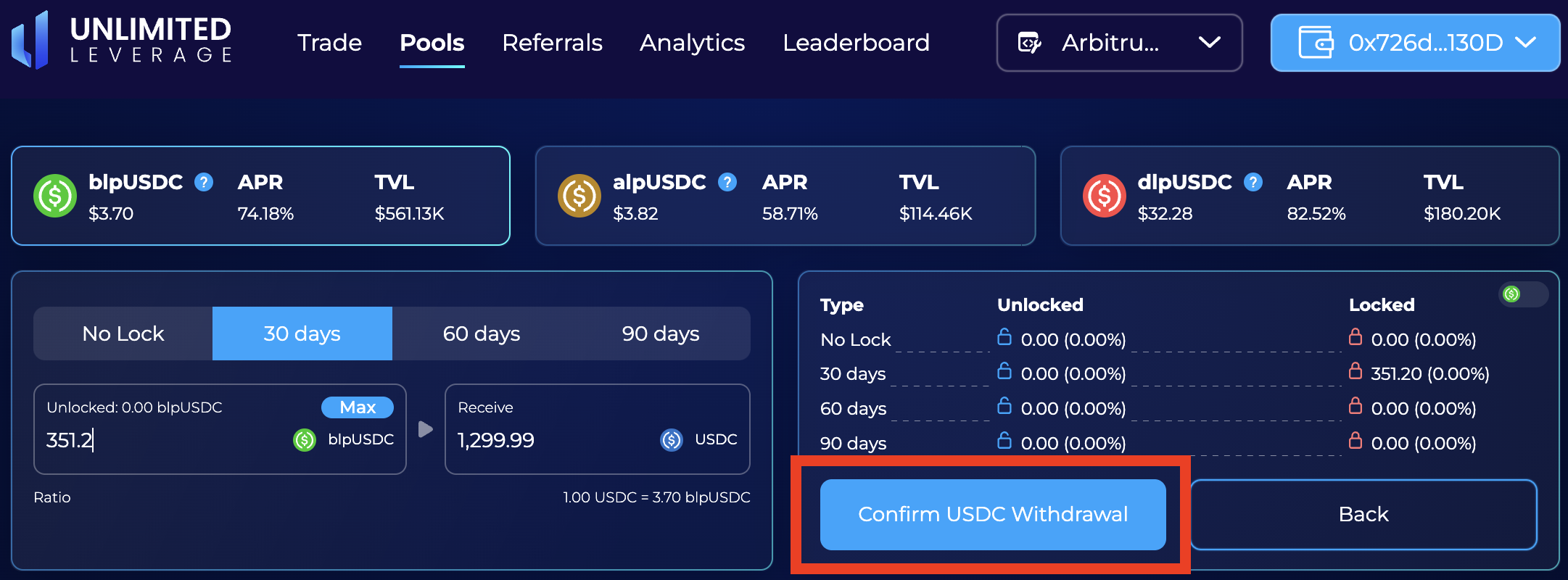
2. **Continue** by selecting the <mark style="color:blue;">**amount**</mark> from the <mark style="color:blue;">**aggregate of eligible positions**</mark> from which you can <mark style="color:blue;">**withdraw**</mark>. Click <mark style="color:blue;">**"Confirm USDC Withdrawal"**</mark> to finalize.

<figure><img src="https://1947651740-files.gitbook.io/~/files/v0/b/gitbook-x-prod.appspot.com/o/spaces%2F1uLfyekHy32aCR2mnQIB%2Fuploads%2FGEOOMU0DW2FaAVxX8Snh%2FScreenshot%202023-04-08%20at%2020.16.05.png?alt=media&#x26;token=728e2a94-cdbc-425c-b9d1-7440f07cefa5" alt=""><figcaption></figcaption></figure>